Prototyping / User Research / App Design / UX/UI
PROJECT OVERVIEW
Game Finder is a mobile app prototype developed as part of a UX design course at the University of Waterloo. It is designed as a centralized platform where students can discover pickup basketball games, RSVP, and connect with other players.
PROJECT DURATION
6 Weeks
ROLE
UX/UI Designer & Researcher
TOOLS USED
Figma, Photoshop, & Google Forms
PROBLEM
Students at Waterloo struggle to find and organize pick-up basketball games around campus, despite it being one of the most popular sports.
APPROACH
The idea for this application sparked from my passion for basketball and knowing how hard it is to find pick-up basketball games. There always seems to be a problem, whether it's skill level, scheduling, or finding a court. We wanted to take my experience with this problem and figure out what a viable solution could be.
Understanding our Potential Users
I conducted a survey, asking open gym attendees a series of questions about their current experience finding pick-up basketball games on campus.
1
70% of participants rely on group chats/DM’s, excluding those not in these chats.
2
27% reported communication problems and cancellations.
3
37% struggle with unbalanced skill levels.
4
70.6% play weekly, with 47.1% citing scheduling conflicts as a major pain point.
User Persona
Using the data collected from our survey we created our user persona.
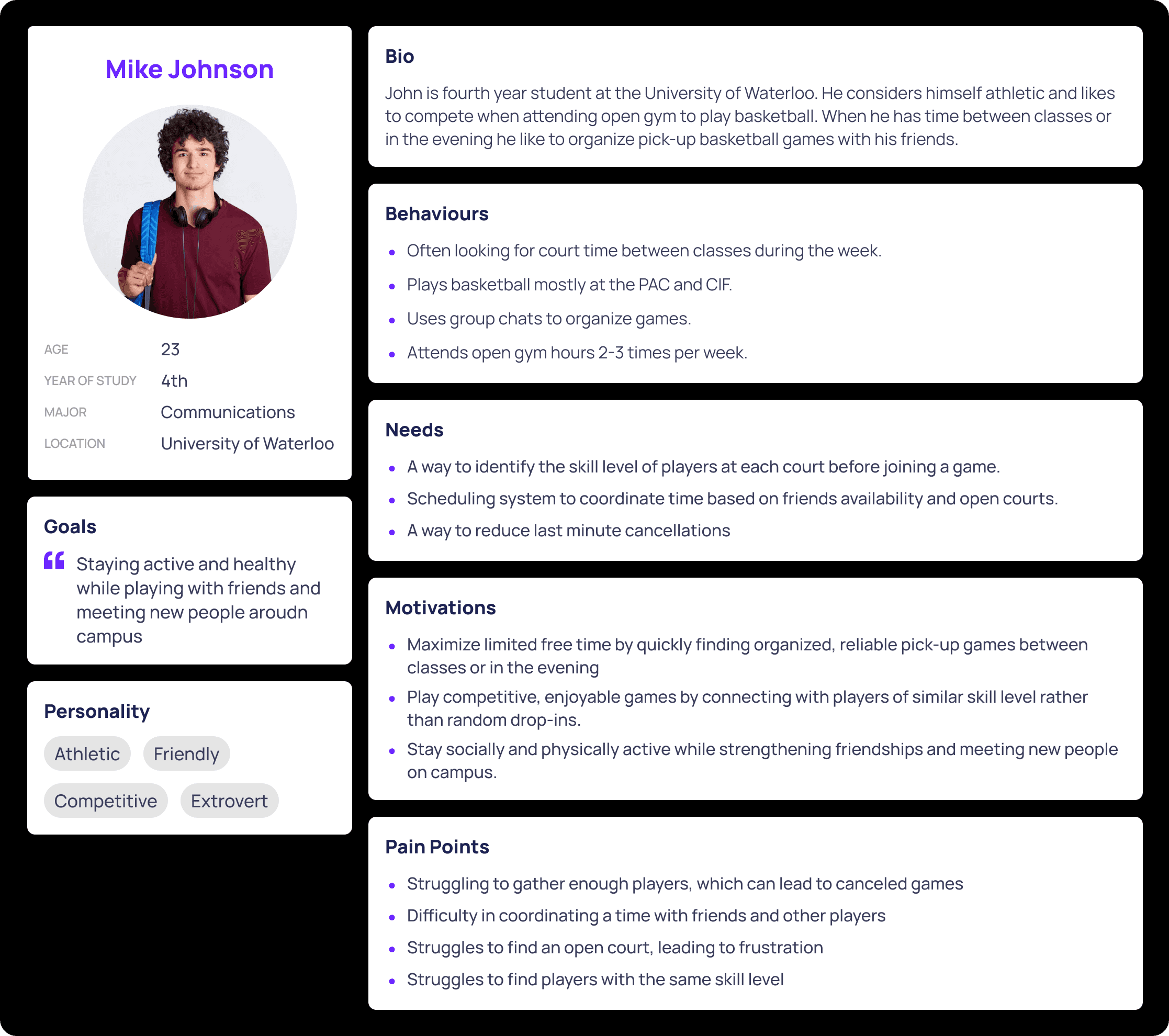
Using what we know about Mike's persona, we created key user flows to ensure we address his needs, motivations, and pain points.
Key User Flows
Sign In
Sign Up
Game RSVP
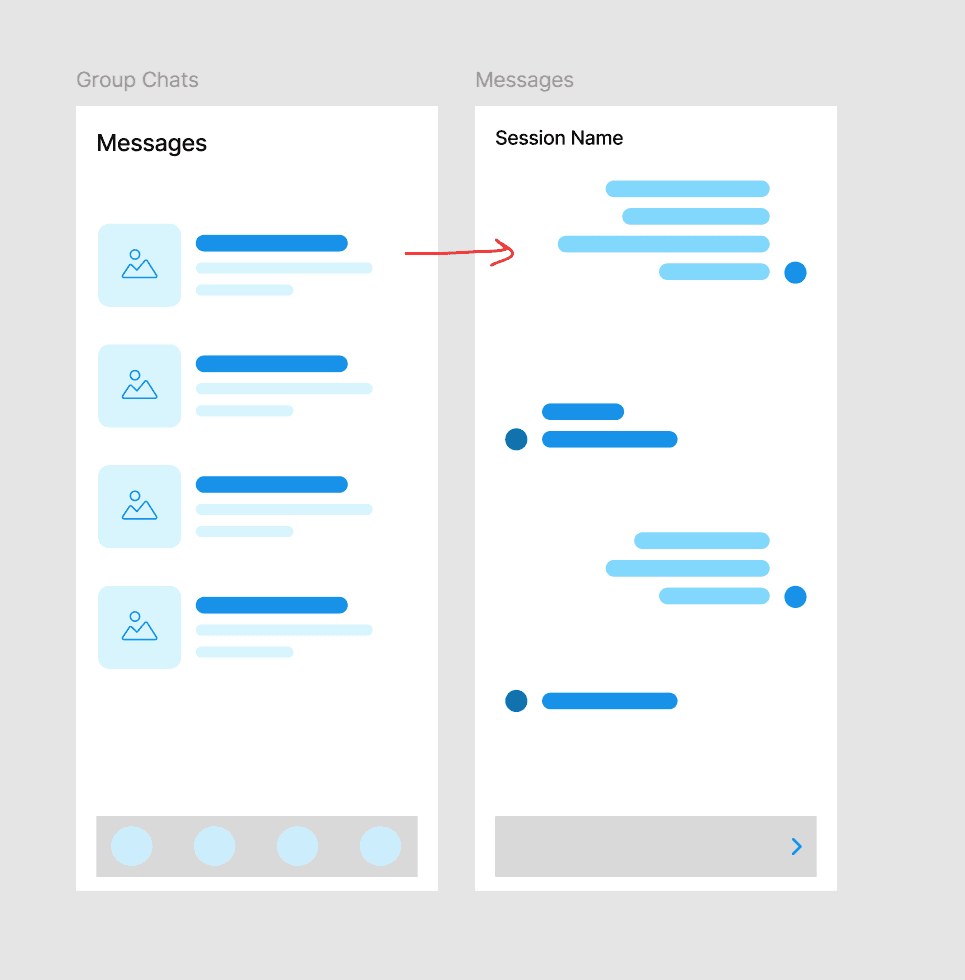
Messages
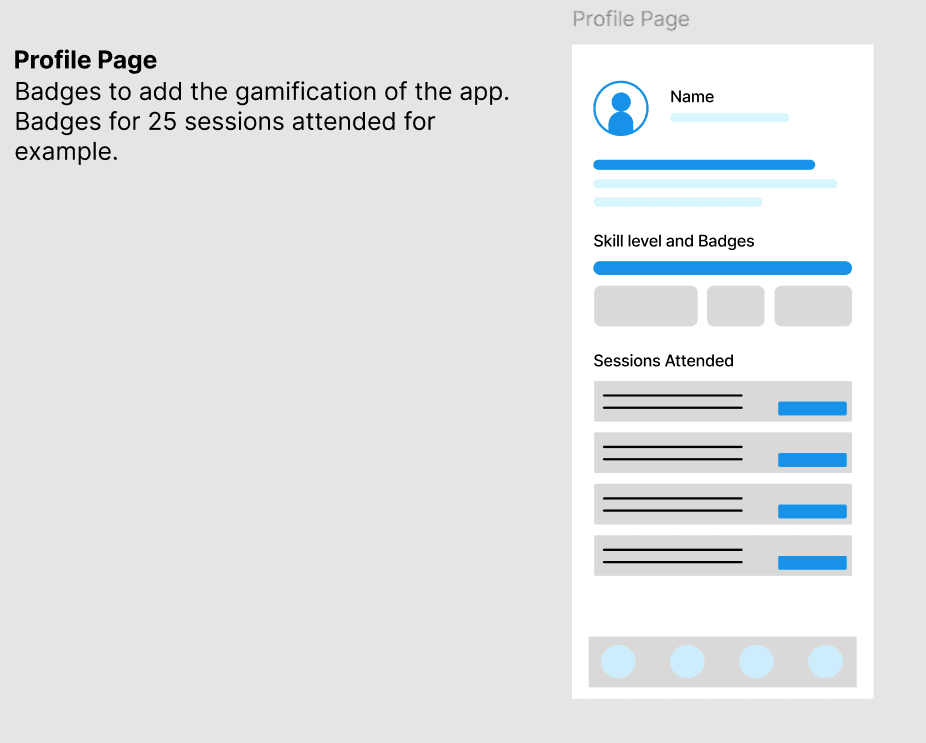
Player Profile
Game Filtering
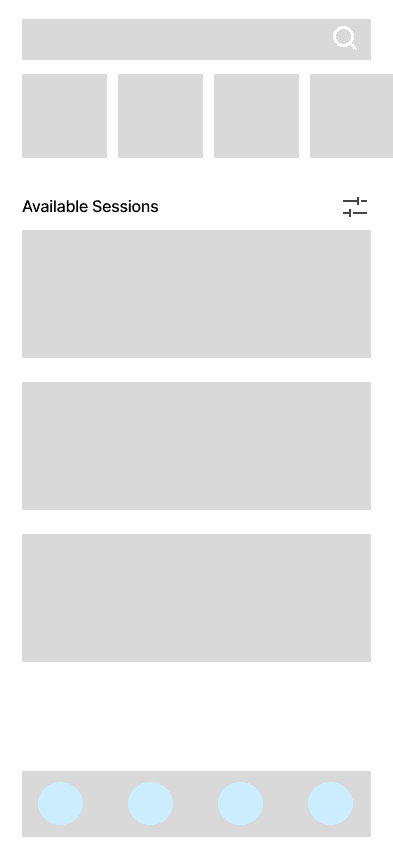
During this phase of ideation, we overlooked a major user flow, game creation. So, the flow for users to create games is not reflected in the lo-fi prototype.
SOLUTION
Low-Fidelity Prototype
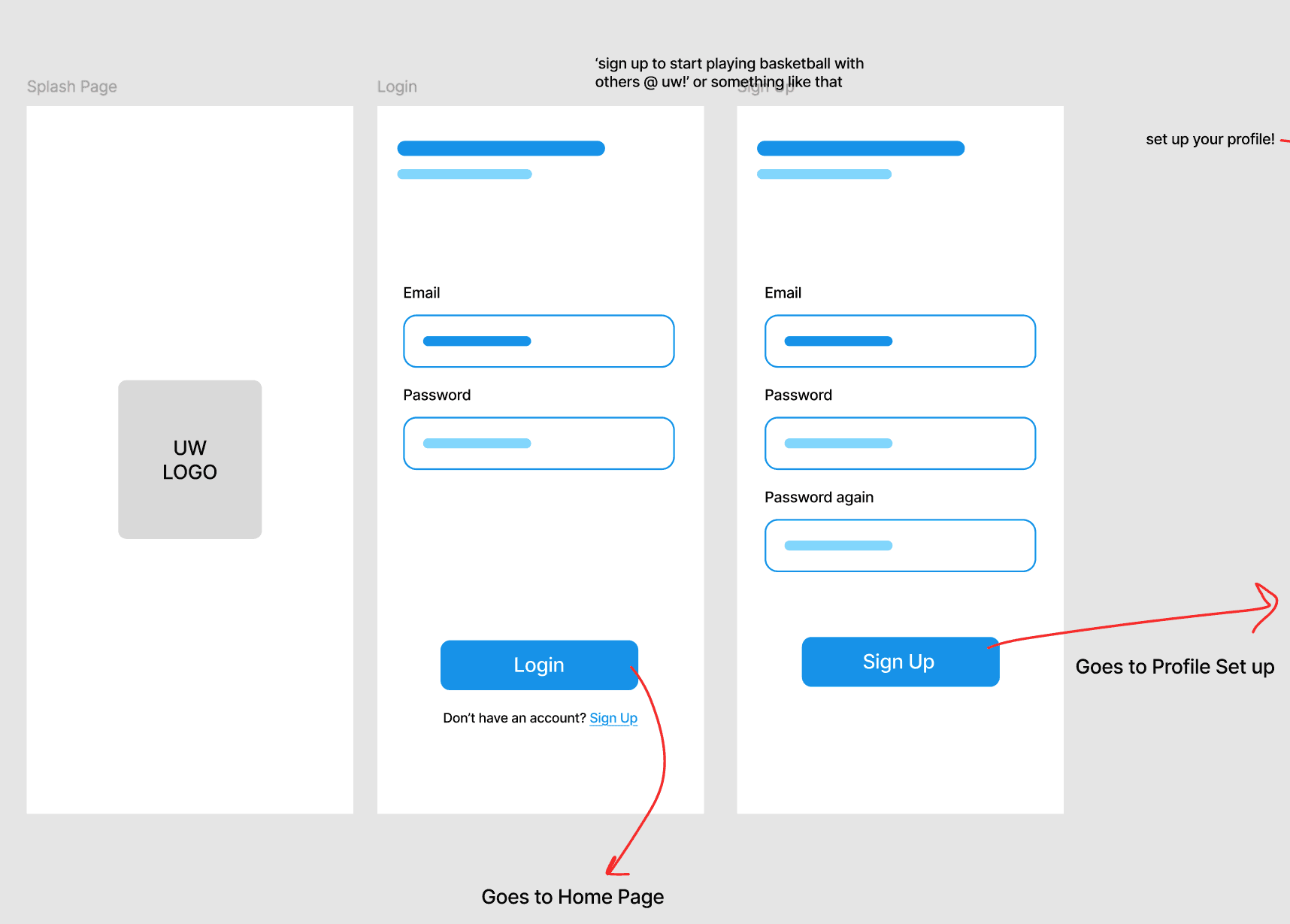
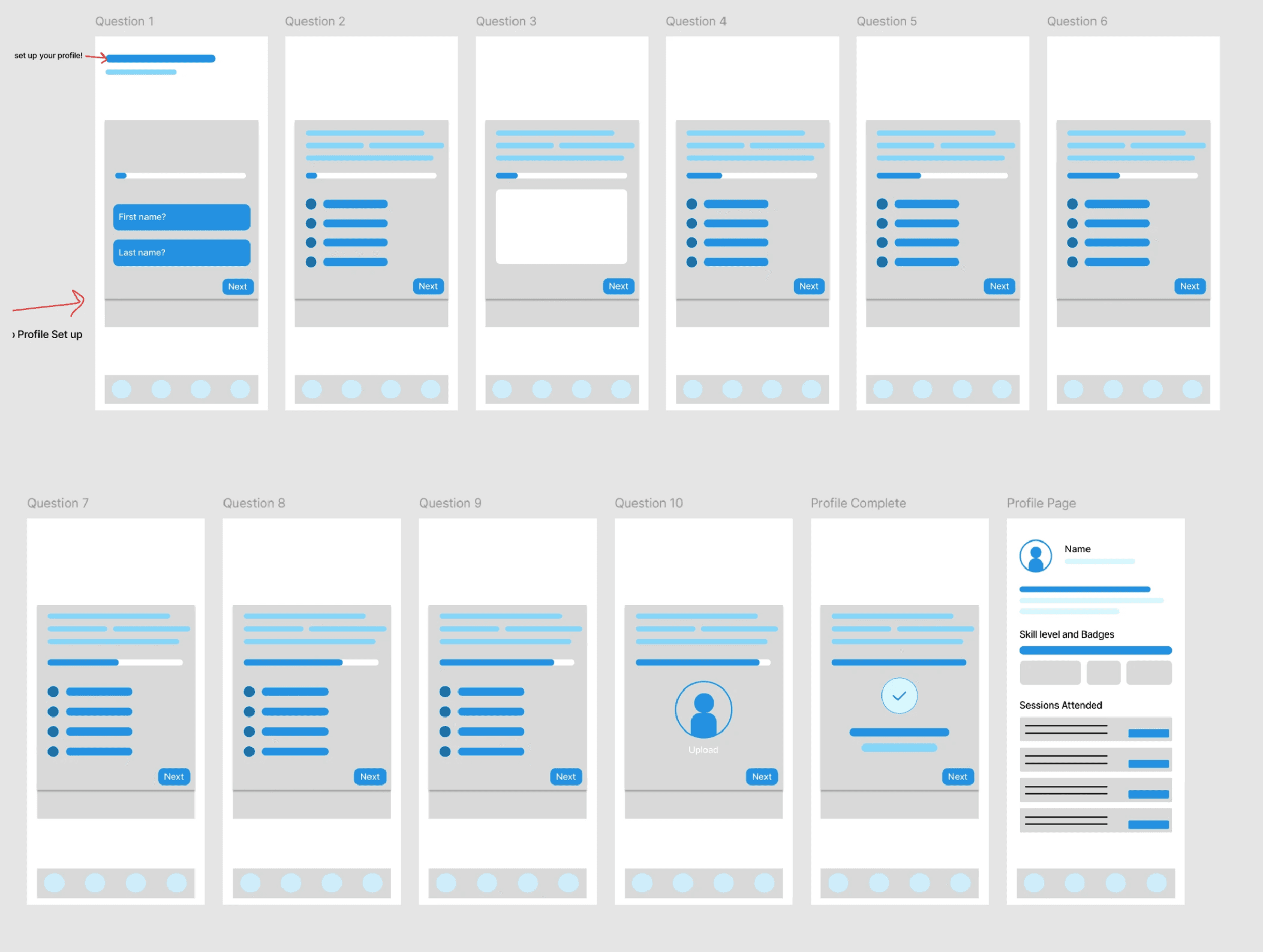
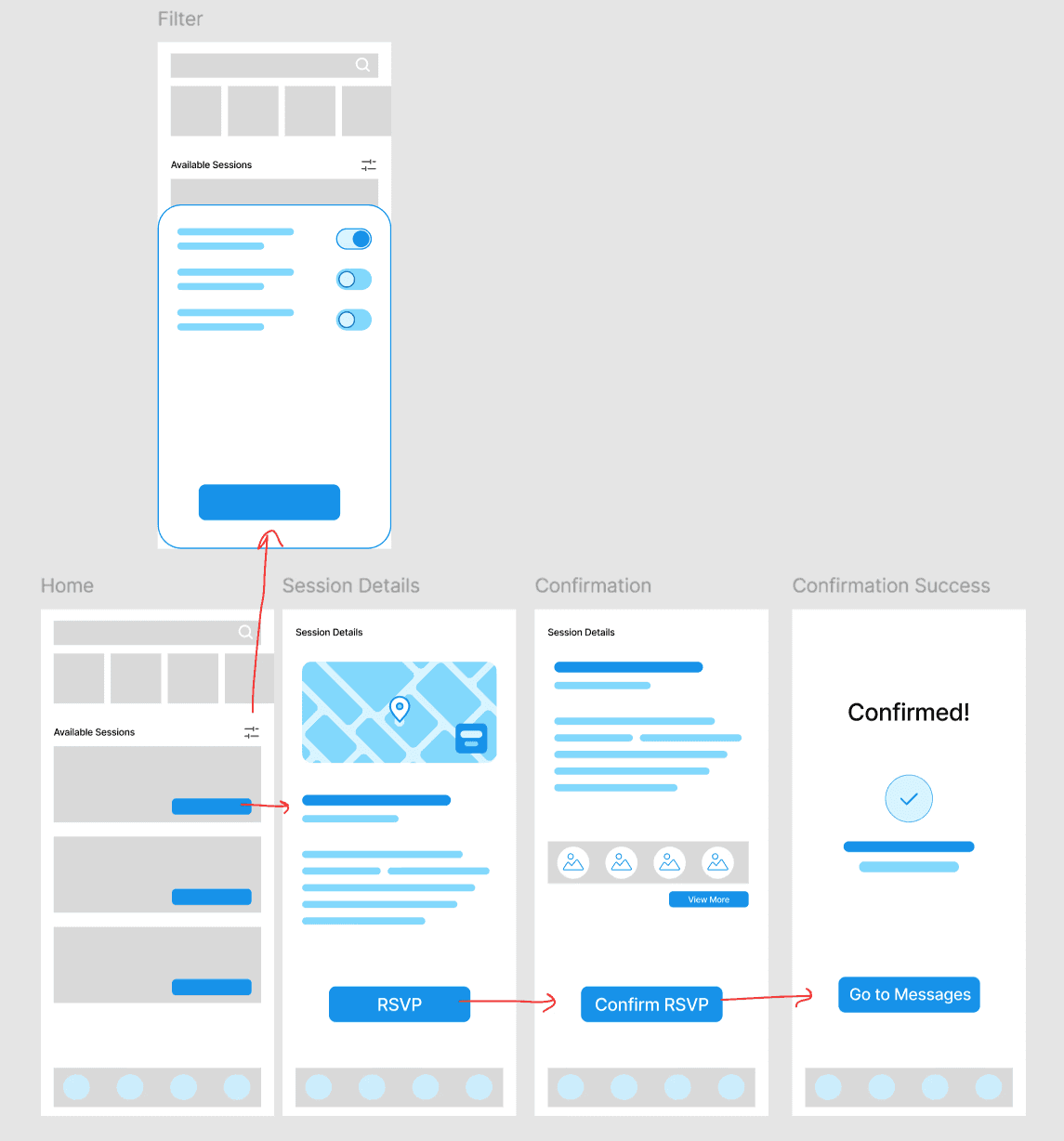
User Feedback
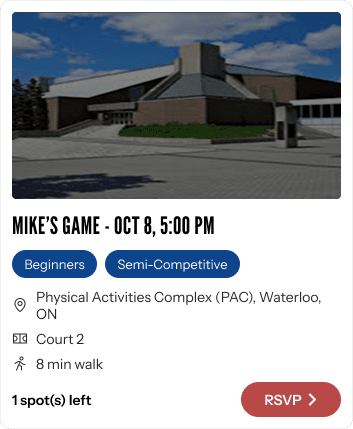
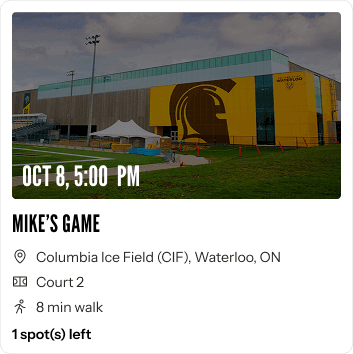
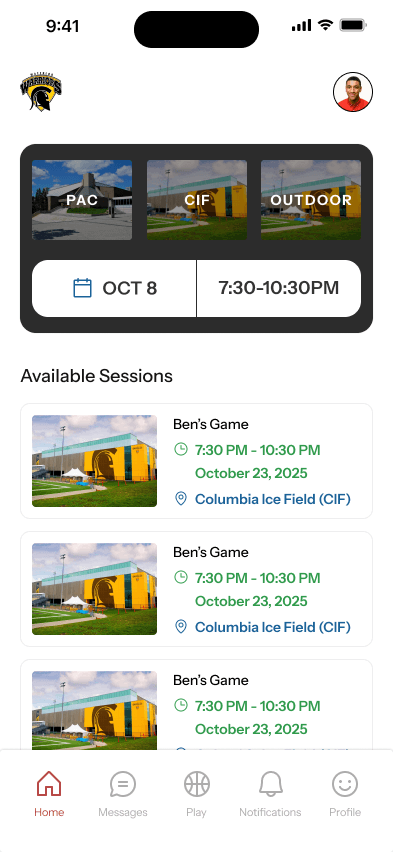
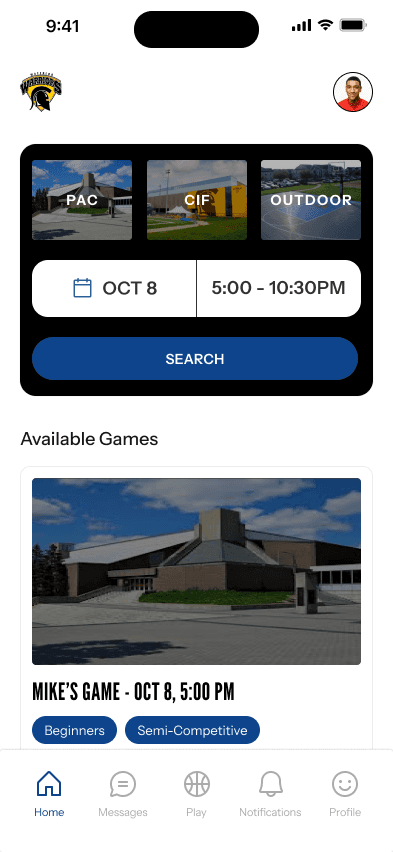
Our classmates performed a heuristic evaluation, recognizing the gaps in our first prototype. Some of the feedback we received, but not limited to, was:
Add status indicators for the number of players already registered for a game.
Add an option for users to cancel their game reservation.
Add a skip button for the sign-up flow.
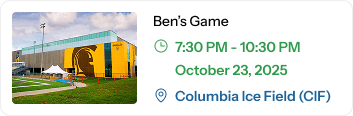
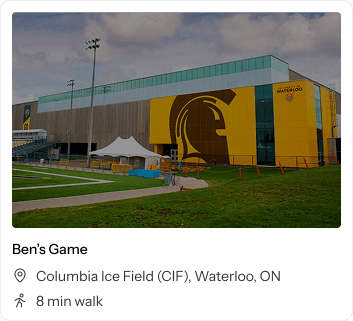
Design Iterations
FINAL PROTOTYPE
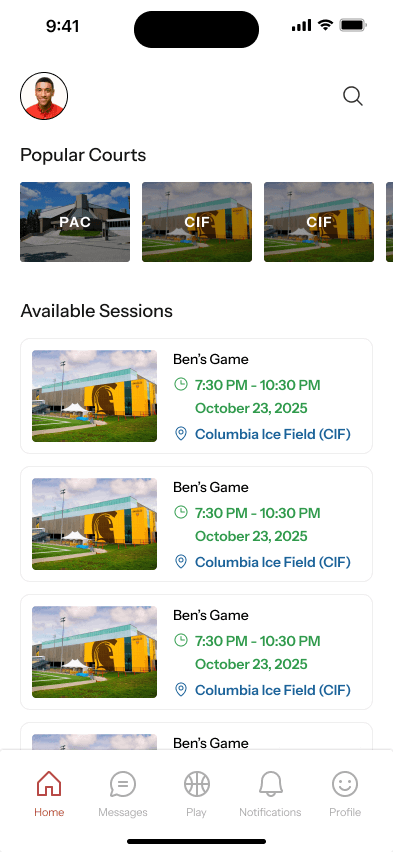
How did we address our users needs?
REFLECTION
What Worked Well
Working collaboratively
Regular check-ins, open feedback, and shared ownership across my team help us iterate efficiently and refine ideas faster.
Grounding decisions in research
Referring back to our persona and research insights prevented us from going outside of our problem scope and ensured our features were solving real problems.
What Didn't Work
Time constraints
Academic timelines meant we had to lock in decisions earlier than ideal, even when we knew some flows could have been improved further.
Limited testing after completing hi-fi prototype
Again, due to academic timelines, we weren't able to fully validate our final prototype.
Where I'll Improve
Be more deliberate before moving between stages
In future projects, I would slow down key transition points by double- and triple-checking user flows against research and personas before progressing. Missing a core user flow showed the importance of validating completeness early, not just usability.
Strengthen early testing and validation practices
I would create more intentional low-fidelity prototypes and conduct structured user testing earlier in the process to validate flows before refinement. Setting clearer internal deadlines for review and testing would ensure enough time is reserved to evaluate, iterate, and catch issues before advancing.
APPROACH
GET IN TOUCH
Always open to opportunities, whether it’s a project, a role, or just a conversation.

Copy component
Copied
ben.mascarenahs23@gmail.com


BEN MASCARENHAS